PostgresAI vs Foglight for PostgreSQL
open source vs workload drill-down
Foglight monitors PostgreSQL with Performance Investigator, alarm rules and AI query tuning, on premises or as SaaS. PostgresAI is open source and publishes its prices.
Where PostgresAI is ahead of Foglight for PostgreSQL
Each point pairs what our documentation says with what the Foglight for PostgreSQL documentation says. Follow the links and check.
Open source, no licence fee to self-host
A published price per cluster
PostgresAIStarter is $16 per cluster a month. Scale is $512 per cluster a month and covers a primary and up to 5 replicas. Self-hosting the open-source software carries no licence fee. docs
Test the fix on a full-size copy first
Short answer
Foglight for PostgreSQL is part of Foglight for Databases from Quest Software, on premises or as Foglight Cloud. For PostgreSQL it has dashboards, Performance Investigator with wait breakdowns, baselines and explain plans, 18 alarm rules and 10 advisories, plus an AI Optimizer and an MCP server. PostgresAI monitors PostgreSQL, runs scheduled checkups and turns findings into Issues that you, your AI agent or a PostgresAI expert can act on. Pick Foglight if you want per-minute workload drill-down with captured plans, on premises or as SaaS. Pick PostgresAI if you want open-source monitoring, public prices or human experts.
When Foglight for PostgreSQL is the better choice
- Performance Investigator samples PostgreSQL every minute and breaks workload down by statement, database, user, client machine, program and session, with wait resources and a baseline chart.
- Runs on premises or as Foglight Cloud, with agents on a Foglight Agent Manager that can be local or remote to the database.
- Explain plans in Performance Investigator flag the costliest and largest operations and bad row estimates.
- 18 PostgreSQL alarm rules and 10 advisories, including replication slot WAL status, index bloat, autovacuum monitoring and slow query tuning.
- Supports PostgreSQL from version 9.1, on Windows and Linux, RDS, Aurora, Cloud SQL and Azure, plus AlloyDB and Databricks Lakebase Postgres.
What you get
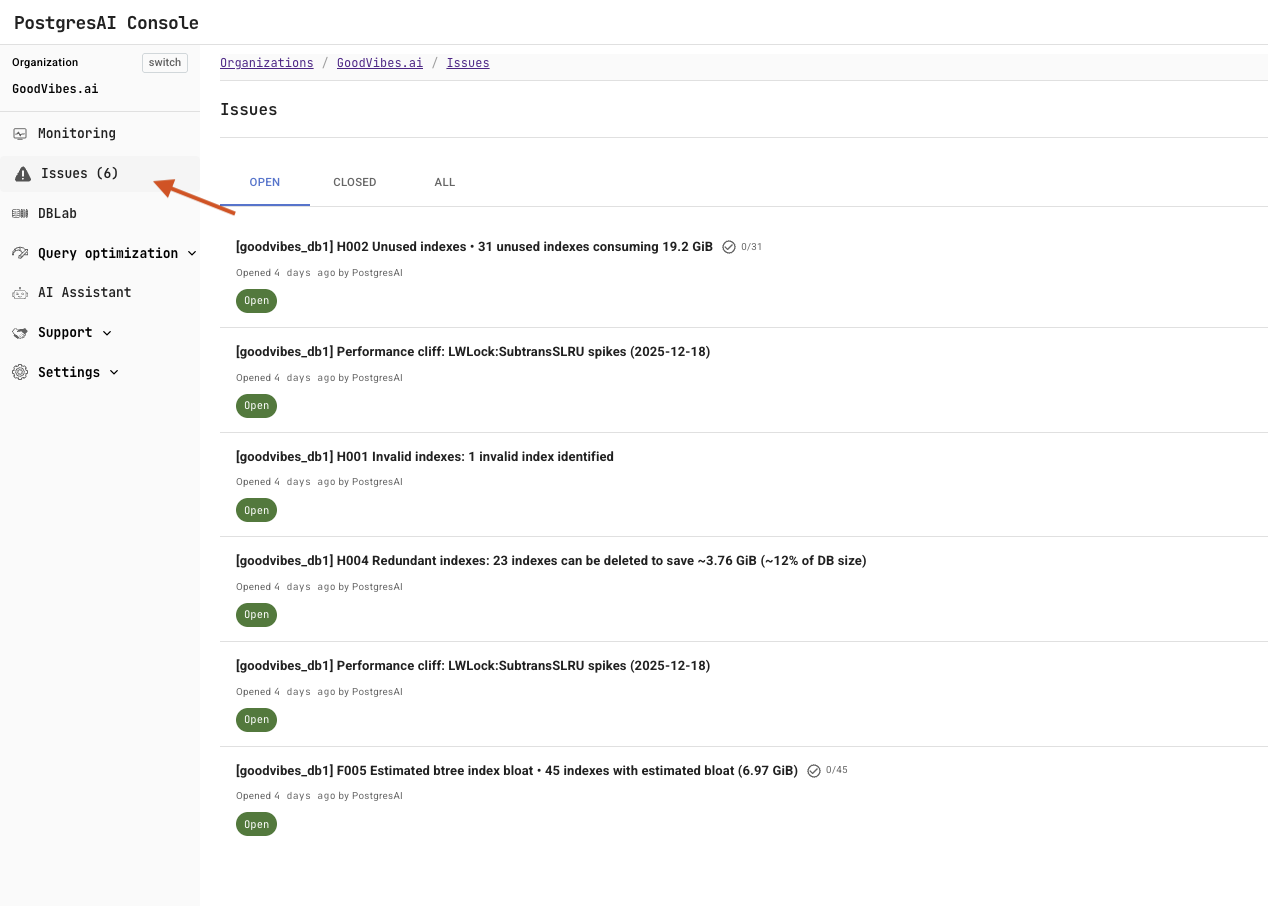
Checkup findings as Issues in the PostgresAI Console. How it works
PostgresAI and Foglight for PostgreSQL, side by side
| Question | PostgresAI | Foglight for PostgreSQL |
|---|---|---|
| What it is | PostgreSQL monitoring with scheduled health checkups. Findings become Issues with severity, evidence and a recommended fix, which you, your AI agent or a PostgresAI expert can act on. docsdocs 2 | Part of Foglight for Databases. For PostgreSQL: dashboards, Performance Investigator (PI), alarm rules, advisories and explain plans. Agents collect telemetry and send it to a Foglight Management Server, on premises or in Foglight Cloud. 10457 |
| Where your Postgres can run, and which versions | YesAmazon RDS and Aurora, Google Cloud SQL, Azure Database for PostgreSQL, Supabase, Tiger Data, self-managed servers and Postgres running on Kubernetes. PostgreSQL 14 and newer, with the pg_stat_statements extension. docs | YesPostgreSQL 9.1 and newer on Windows and Linux, Amazon RDS, Aurora, Google Cloud SQL and Azure Database for PostgreSQL; Databricks Lakebase Postgres (beta on Google Cloud) and AlloyDB are also listed. Performance Investigator needs PostgreSQL 10 and newer, or 11 and newer on Azure. 32 |
| Where it runs and what it collects | YesHosted by PostgresAI, or self-hosted in your own cloud account or on your own server. It collects database metadata such as statistics, normalized query texts and wait events, not table data or query parameters. docsdocs 2 | YesOn premises or Foglight Cloud. The PostgreSQL agent runs on an Agent Manager local or remote to the server. Foglight Cloud stores data in Azure data centers in the USA or Germany; string literals in SQL and plans are removed by default. 102151619 |
| Open source | YesThe monitoring software is open source under Apache 2.0. Hosted plans are a separate paid service. docsdocs 2 | Not documentedNot documented in the sources we reviewed. Foglight Cloud is sold as a subscription with one unit per monitored database instance. 1314 |
| Query performance analysis | YesTop queries from pg_stat_statements by calls, execution time, planning time and rows, with a drill-down dashboard for a single query. For execution plans, Joe runs EXPLAIN on a DBLab clone. docsdocs 2 | YesA Statements dashboard lists top statements with calls, rows, total and average time and block read and write times. PI samples about every minute and shows explain plans that mark bad row estimates. The AI Optimizer, which needs a license, rewrites a selected PostgreSQL query and suggests schema changes. 4658 |
| Wait event analysis | YesAn ASH-style wait event dashboard built from samples of pg_stat_activity. No extra extension is needed. docs | YesPI groups wait events into resources and breaks workload down by SQL statement, database, user, client machine, program and session, compared with a baseline. The Connections dashboard shows each session's wait event and type. 54 |
| Health checks and recommendations | YesScheduled checkup reports on settings, autovacuum and bloat, and indexes (invalid, unused, redundant). Each finding becomes an Issue with severity, evidence and a specific fix. docsdocs 2 | Yes18 PostgreSQL alarm rules, such as index bloat, replication lag and statement response time above its history, and 10 advisories, such as autovacuum monitoring, possible need for indexes and the 10 slowest queries of the last week. 7 |
| AI and agent access | YesThe postgresai CLI (alias pgai) and an MCP server with tools for Issues, action items and checkup reports. The setup guide covers Cursor, Claude Code, Windsurf and Codex. docsdocs 2 | YesThe Foglight MCP Server, introduced in July 2026, gives AI clients read-only tools for alarms, agents, Performance Investigation, TopSQL and topology, with OAuth2. AI Insights, a chat that uses GPT-5.4 on Azure, added PostgreSQL execution plans in October 2026 and can query on-premises Foglight through the MCP Server. 9181112 |
| Testing a fix before production | YesWith DBLab Engine, a separate open-source product: a full-size thin clone of the database in seconds, where an index or query change can be run on real data. DBLab is set up and priced separately. docsdocs 2 | Not documentedNot documented in the sources we reviewed. AI Query Optimization suggests a rewrite and schema changes; the sources do not describe running a change on a separate copy of the data. 8 |
| Human PostgreSQL experts | YesScale includes two expert requests a month, answered within 24 business hours. Either plan can buy a one-off pack of two requests for $500. Consulting is separate. docsdocs 2 | Not documentedNot documented in the sources we reviewed. 14 |
| Alerts | Email and Slack alerts on Starter and Scale. docs | Alarms rated Warning, Critical or Fatal, sent to contacts by email through notification channels. Rule thresholds can be changed or scoped. A bot for alarm analysis, added in February 2025, needs an additional license. 117718 |
| History kept | 14 days on Starter, 13 months on Scale, custom on Enterprise. docs | Foglight Cloud keeps performance data for paid accounts for one year for trend analysis, at different granularity levels. 1615 |
| Security attestations | SOC 2 Type 2 examination completed for the Security and Availability criteria, covering March 4 to June 4, 2026. The SOC 3 report is public. docs | Foglight Cloud runs in Microsoft Azure. The FAQ says Azure, its data center provider, maintains ISO 27001 and SOC 2 Type II; those are Azure's certifications, not Quest's. Quest documents how Foglight security features meet NIST recommended standards under FISMA. The sources we reviewed do not list certifications held by Quest for Foglight. 1615 |
Pricing
| Product | Plan | List price | Notes |
|---|---|---|---|
| PostgresAI | Starter | $16 per cluster/month | Primary only, 14-day retention, no expert requests included |
| PostgresAI | Scale | $512 per cluster/month | Primary and up to 5 replicas in one cluster, 13-month retention, Grafana dashboards, 2 expert requests a month |
| PostgresAI | Enterprise | Custom | Contact sales |
| PostgresAI | Self-hosted | No licence fee | Open source under Apache 2.0; you run it yourself |
| Foglight for PostgreSQL | Foglight Cloud for Databases | No public price | One unit per monitored PostgreSQL instance and one host; buy through Quest Sales; free trial, proof-of-concept plan or demo environment 141319 |
List prices on 18 Nov 2026. The billing units differ, so this is not a total-cost comparison. AI Query Optimization and AI alarm analysis need separate licenses. On-premises licensing is not covered in the Foglight Cloud documentation we reviewed. PostgresAI pricing
Using PostgresAI with Foglight for PostgreSQL
DBLab is a separate product that copies any PostgreSQL source, so a team that monitors with Foglight can still use a DBLab clone to try an index or query change on full-size data before production.
Questions
- Which PostgreSQL versions does Foglight support?
- Foglight for PostgreSQL supports PostgreSQL 9.1 and newer, on Windows and Linux and on Amazon RDS, Aurora, Google Cloud SQL and Azure Database for PostgreSQL. Performance Investigator needs version 10 or newer. 23
- Is Foglight available as SaaS?
- Yes. Foglight for Databases runs on premises or as Foglight Cloud, which stores data in Azure data centers in the USA or Germany. The PostgreSQL agent runs on a Foglight Agent Manager, local or remote to the database server. 1015219
- What does Foglight for PostgreSQL cost?
- Quest publishes no price in the sources we reviewed. Foglight Cloud for Databases is licensed per monitored database instance through Quest Sales. The product page offers a free trial, and the FAQ describes a proof-of-concept plan or a demo environment. 141319
- Does Foglight show PostgreSQL execution plans?
- Yes. With Explain Plans and Explain Analyze enabled for the agent and an admin user configured, Performance Investigator shows execution plans and flags the costliest operations, the largest ones and bad row estimates. 65
- Can I use PostgresAI and Foglight together?
- Yes. DBLab, the PostgresAI cloning product, copies any PostgreSQL source, so a team that monitors with Foglight can test an index or query change on a full-size DBLab clone before production.
Check it on your own database
The express checkup works with PostgreSQL 14 or newer. With --no-upload it needs no account and sends no report data to PostgresAI. It needs Node.js 18 or newer and a database role with pg_monitor. Compare what it finds with what your current tool shows for the same database.
Sources
- Foglight documentation: alarms
- Foglight documentation: prerequisites for monitoring PostgreSQL
- Foglight documentation: supported platforms
- Foglight documentation: PostgreSQL dashboards
- Foglight documentation: PostgreSQL Performance Investigator
- Foglight documentation: configuring PostgreSQL
- Foglight documentation: PostgreSQL rules
- Foglight documentation: AI query optimization
- Foglight documentation: MCP Server
- Foglight AI Insights: architecture overview
- Foglight AI Insights: what's new
- Foglight AI Insights: FAQ
- Foglight documentation: database licensing
- Foglight Cloud FAQ: subscription and activation
- Foglight Cloud: data handling and security
- Foglight Cloud FAQ: data handling and security
- Foglight documentation: notification channels
- Foglight Cloud: what's new
- Quest Foglight product page
These pages compare what each product does for PostgreSQL; other databases and the rest of the stack are out of scope. What we say about the other product comes from its own documentation, pricing page, changelog or source repository, read on the date shown; each row cites its source. "Not documented" means we did not find it in those sources, not that the product cannot do it. Prices are list prices and the billing units differ, so they are not a total-cost comparison. Product names are trademarks of their owners. Found a mistake? Tell us and we will correct the page.
More comparisons
- CorootPostgres experts and history vs eBPF query capture
- Datadog Database Monitoringopen source vs traced queries
- Dynatraceopen-source monitoring vs an ActiveGate extension
- Grafana Cloud Database Observabilitycheckups vs query data
- Netdatawait events and experts vs per-second metrics
- New Relicopen source with experts vs queries tied to traces
- Redgate Monitoropen source vs captured plans and alerts
- SolarWinds DPAopen source vs commercial wait-time analysis
- All comparisons