How to work with Issues
PostgresAI generates daily issue reports with detected problems and recommended actions for your Postgres databases. This guide shows how to view, manage, and resolve issues.
Prerequisites
- A PostgresAI account with an active monitoring instance
View issues in PostgresAI Console
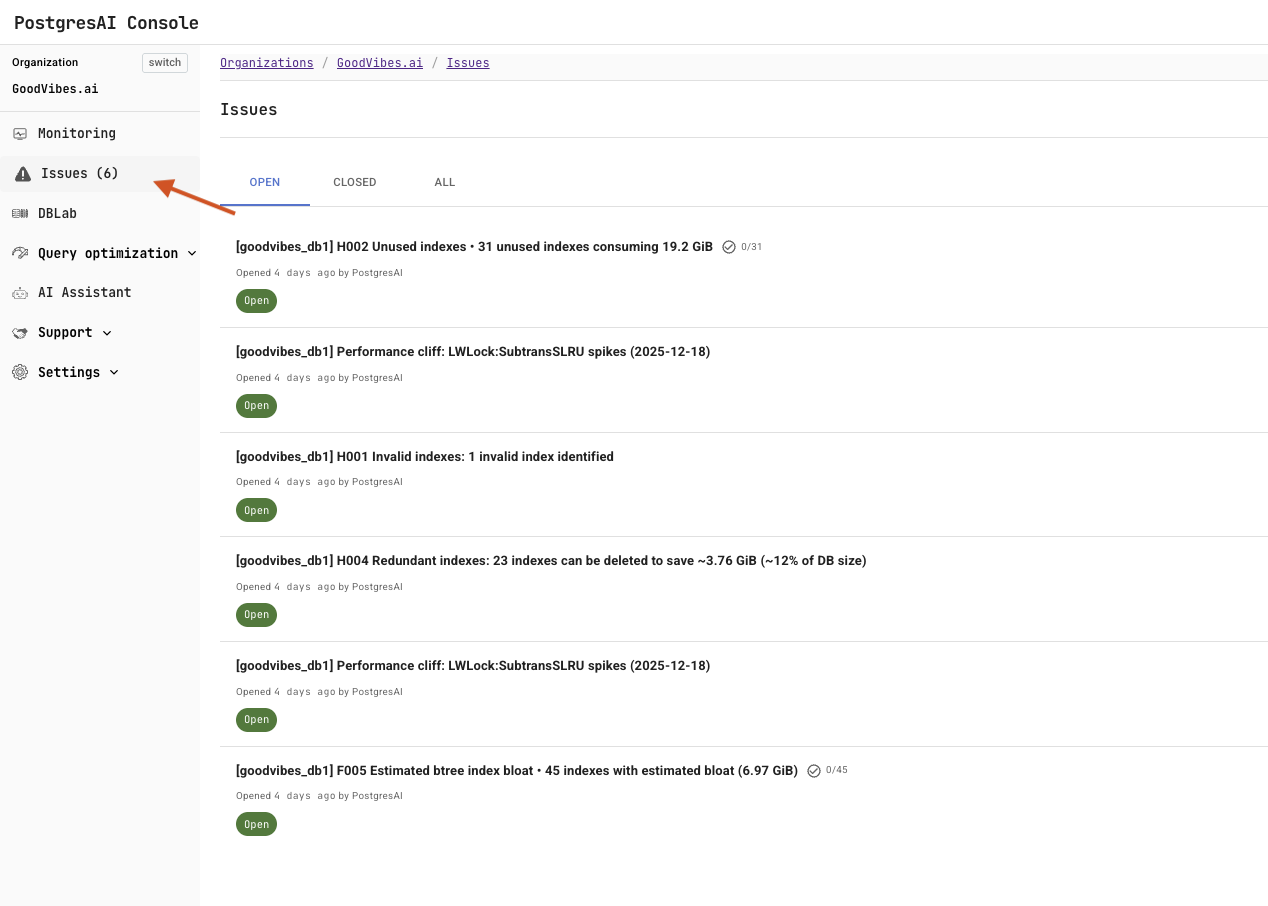
Open PostgresAI Console and click Issues in the left sidebar to see all issue reports.
Manage an issue
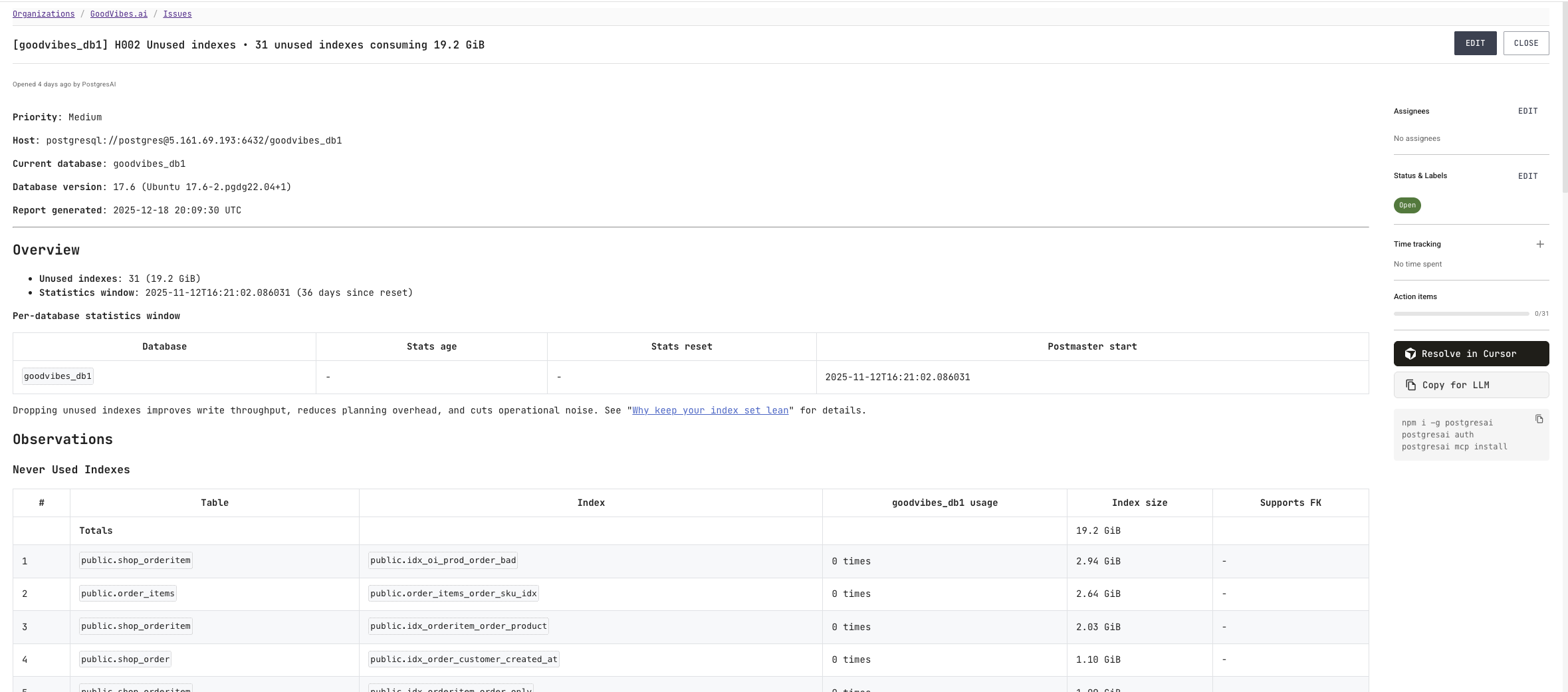
Click an issue to open its details page. You can:
- Assignees: assign the issue to a team member.
- Status & labels: update status and labels as needed.
- Resolve in Cursor: open the issue in Cursor to work through the recommended steps in your AI-assisted workflow.
Work with issues via CLI
You can also manage issues using the PostgresAI CLI:
- Installed CLI
- npx
- bunx
# List open issues (add --status all to include closed ones)
postgresai issues list

# View a specific issue
postgresai issues view <issue_id>

# Post a comment
postgresai issues post-comment <issue_id> "comment"
# List open issues (add --status all to include closed ones)
npx postgresai@latest issues list

# View a specific issue
npx postgresai@latest issues view <issue_id>

# Post a comment
npx postgresai@latest issues post-comment <issue_id> "comment"
# List open issues (add --status all to include closed ones)
bunx postgresai@latest issues list

# View a specific issue
bunx postgresai@latest issues view <issue_id>

# Post a comment
bunx postgresai@latest issues post-comment <issue_id> "comment"
issues list shows open issues by default; pass --status closed or --status all for the rest. If you signed in with a global token (All my organizations), add --org <alias> or --org-id <id> to each command, or set PGAI_ORG — see organization selection.
By default, issues commands print human-friendly YAML when stdout is a terminal, and switch to JSON when piped or redirected. Force JSON explicitly with --json for scripting:
postgresai issues list --json | jq '.[] | {id, title}'
See the PostgresAI CLI reference for the full issues command set (including create, update, action items, and file attachments).
Integrate with AI coding tools
Issues can be resolved directly in AI coding tools that support MCP integration:
- Installed CLI
- npx
- bunx
- Install MCP:
postgresai mcp install - Open the issue in your AI coding tool (Cursor, Claude Code, Windsurf, or Codex)
- Follow the AI-guided steps to resolve the issue
- Install MCP:
npx postgresai@latest mcp install - Open the issue in your AI coding tool (Cursor, Claude Code, Windsurf, or Codex)
- Follow the AI-guided steps to resolve the issue
- Install MCP:
bunx postgresai@latest mcp install - Open the issue in your AI coding tool (Cursor, Claude Code, Windsurf, or Codex)
- Follow the AI-guided steps to resolve the issue
See How to install MCP for setup instructions.