DBLab vs pgroll
test a change on a clone, then roll it out
pgroll applies reversible PostgreSQL schema changes with expand/contract. DBLab measures a migration's locks on a full-size clone and can reset it for a rerun.
What DBLab adds to pgroll
Each point pairs what our documentation says with what the pgroll documentation says. Follow the links and check.
Measures the locks a migration holds
DBLabThe checker fails a migration that holds a dangerous lock longer than a limit, 10 seconds by default. docs
Run it again from the same state
DBLabOn a clone, reset returns the data to the snapshot, so a migration can be run again. docs
pgrollpgroll rollback removes the new schema version of an active migration and leaves the old one unchanged. Its docs state that migrations cannot be rolled back once completed. 8
Runs the migration on full-size data
DBLabDB Migration Checker applies pending migrations to a full-size clone in CI and collects statistics from the run. docs
Short answer
pgroll is an open-source CLI that applies PostgreSQL schema changes without breaking running clients: it expands the schema, backfills new columns, serves old and new versions through views, and contracts once old clients are gone. An active migration can be rolled back instantly. DBLab does not deploy changes. It gives you a full-size thin clone of a PostgreSQL database where a migration can be run to see how long it takes and which locks it holds. The two fit together: run pgroll start on a clone, then on production.
What pgroll does that DBLab does not
- pgroll deploys the change itself: old and new schema versions work at the same time through views, so applications can be rolled out side by side. DBLab does not deploy anything.
- An active migration rolls back instantly: the new schema version is removed and the old one was never changed.
- Breaking column changes are handled by adding a new column, backfilling it in batches (1,000 rows by default) and keeping both in sync with triggers.
- Every DDL operation runs with a lock_timeout, 500 ms by default, and migrations are declarative so pgroll can keep the locks it needs short.
- Free and open source under Apache 2.0, a single Go binary that works with any Postgres service, including RDS and Aurora.
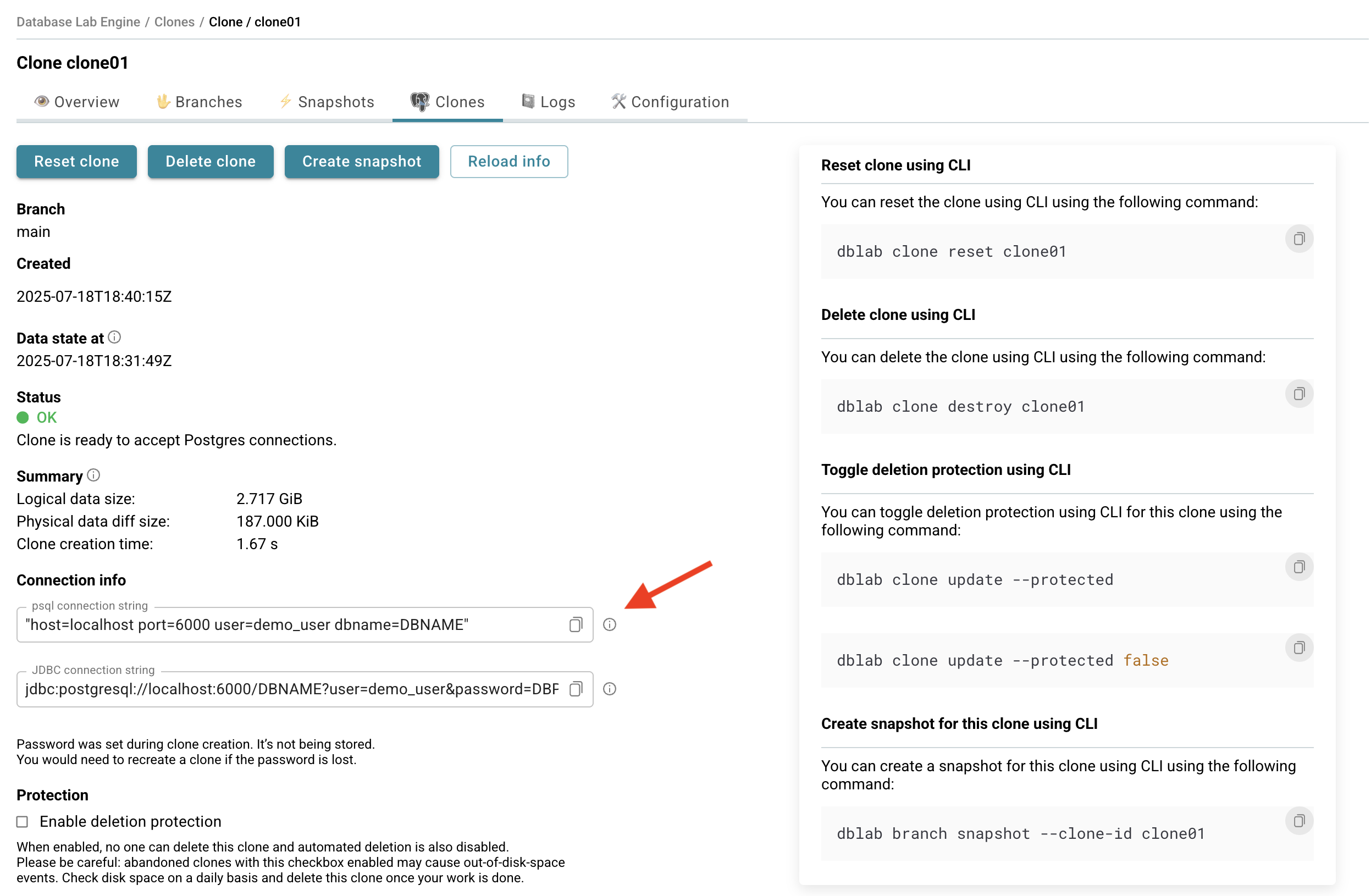
What you get
A clone in the DBLab UI, ready for connections 1.67 seconds after it was requested (a 2.7 GiB demo database). How it works
DBLab and pgroll, side by side
| Question | DBLab | pgroll |
|---|---|---|
| What it is | Thin clones of a full-size PostgreSQL database, used to run a schema change on real data before it ships. DBLab does not write, order or deploy migrations. docsdocs 2 | An open-source command-line tool for safe, reversible, zero-downtime schema migrations on PostgreSQL. It creates virtual schemas of views on top of the physical tables, so old and new schema versions are available at the same time during a migration. 12 |
| Runs the change on full-size data | YesDB Migration Checker applies pending migrations to a full-size clone in CI and collects statistics from the run. docs | Not documentedNot documented in the sources we reviewed. pgroll runs migrations on the database given by --postgres-url. pgroll validate checks a migration file for syntax errors, invalid options and references to unknown database objects. 69 |
| Lock and downtime risk | YesMeasured on the clone: the checker fails a migration that holds a dangerous lock longer than a limit, 10 seconds by default. docs | PartlyReduced by design: migrations are declarative so pgroll can hold required locks for the shortest possible time, all pgroll DDL uses lock_timeout (500 ms by default), and backfills run in batches with an optional delay. The sources we reviewed do not describe measuring lock time. For raw SQL operations, the docs warn that pgroll cannot ensure the change is safe and will not cause downtime. 56710 |
| Static review and lint rules | NoNone. DBLab runs the change; it does not lint SQL. docs | Partlypgroll validate checks a migration for syntax errors in the pgroll format, unknown or invalid options and unknown database objects. The sources we reviewed do not describe lint rules for SQL. 9 |
| Writing, versioning and deploying migrations | NoNot provided. Keep your migration tool; a clone is an ordinary PostgreSQL server that any tool can connect to. docs | YesMigrations are YAML or JSON files listing operations, such as create_table, or raw SQL. pgroll start applies additive changes and creates a new version schema; pgroll complete drops the old version once no client uses it. pgroll baseline captures an existing schema first. 121047 |
| Approvals and audit trail | NoNot a change-approval system. DBLab EE adds SSO, user management and audit for access to clones. docs | Not documentedNot documented in the sources we reviewed. pgroll keeps its migration state in a pgroll schema in the database. 6 |
| Rollback | Not provided for production. On a clone, reset returns the data to the snapshot, so a migration can be run again. docs | pgroll rollback removes the new schema version of an active migration, leaving the old one unchanged. Migrations cannot be rolled back once completed. 82 |
| CI integration | The checker runs in CI; the documented example uses GitHub Actions. Any pipeline can also create clones through the API or CLI. docsdocs 2 | In CI/CD, pgroll latest schema returns the newest version schema name, which can be passed to the application so tests run against the latest changes. Clients choose a version by setting search_path. 11 |
| Open source and hosting | YesOpen source under Apache 2.0, self-hosted in any cloud or on-premises. docs | YesApache 2.0 license; a single Go binary with no external dependencies that you run yourself against your own database. Made by Xata. 12 |
Pricing
| Product | Plan | List price | Notes |
|---|---|---|---|
| DBLab | DBLab Engine | Free | Open source, Apache 2.0; you run it |
| DBLab | DBLab SE | From $62/month | Billed hourly by machine size, plus your own cloud costs; 2,000 GiB limit; single user |
| DBLab | DBLab EE | Custom | Annual contract, from $0.2662 per 100 GiB per hour; unlimited database size, SSO |
| pgroll | Open source | Free | Apache 2.0; you run it 1 |
List prices on 18 Nov 2026. The billing units differ, so this is not a total-cost comparison. DBLab pricing
Using DBLab with pgroll
The two cover different steps of the same change. In CI, a job creates a DBLab clone through the API or CLI and runs pgroll start against it, so the team sees how long the backfill takes and which locks the change holds on full-size data; pgroll rollback or a clone reset clears it for the next run. Then pgroll start runs on production, new application versions move to the new version schema, and pgroll complete finishes the change. DBLab does not deploy anything.
Questions
- Is pgroll open source?
- Yes. The repository on GitHub, maintained by Xata, is under the Apache License 2.0. pgroll is a single Go binary. 12
- Which PostgreSQL versions does pgroll support?
- PostgreSQL 14.0 or later, on any Postgres service including RDS and Aurora. On Postgres 14, row level security policies are not respected by its versioned views. 23
- Can a pgroll migration be rolled back?
- Yes, while it is active. pgroll rollback removes the new schema version and leaves the old one as it was. Once pgroll complete has run, a migration cannot be rolled back. 8
Try a clone before you install anything
The public demo runs DBLab Engine: open it with the token demo-token, create a clone and connect to it. DBLab Engine is open source, so the next step is a machine of your own.
Sources
- pgroll repository on GitHub
- pgroll README
- pgroll docs: getting started
- pgroll docs: concepts
- pgroll docs: why use pgroll
- pgroll docs: CLI global flags
- pgroll docs: start
- pgroll docs: rollback
- pgroll docs: validate
- pgroll docs: raw SQL operation
- pgroll docs: integrating client applications
- pgroll docs: operations
These pages compare what each product does for PostgreSQL; other databases and the rest of the stack are out of scope. What we say about the other product comes from its own documentation, pricing page, changelog or source repository, read on the date shown; each row cites its source. "Not documented" means we did not find it in those sources, not that the product cannot do it. Prices are list prices and the billing units differ, so they are not a total-cost comparison. Product names are trademarks of their owners. Found a mistake? Tell us and we will correct the page.
More comparisons
- Atlasrun a change on real data vs plan and lint it
- Bytebasetest a change on real data, then deploy it
- Flywaytest on a full-size clone, deploy with migrations
- Liquibaserun a change on a clone, ship it with changelogs
- pg-schema-diffplan an online change, then run it on a clone
- Sqitchdeploy and revert scripts, tested on a clone
- Squawklint migration SQL, then run it on a clone
- All comparisons